
You do not need a film crew or an expensive camera to make your business look professional on video. Your phone is enough to show a finished installation, explain a common problem or capture a before-and-after transformation.
The difference between a dark, shaky clip and a polished Reel often comes down to lighting, framing and a few simple filming habits.
Here is how to film Reels on a phone that show the quality of your work without making content creation another full-time job.
Get Your Phone Ready
Clean the lens
Dust, plaster and fingerprints can make footage look hazy. Wipe the camera lens with a clean, soft cloth before filming.
Film vertically
Hold your phone upright so the footage suits a full-screen Reel. Starting in portrait saves you from cropping important details later.
Choose a suitable recording setting
For most business clips, 1080p at 30 frames per second is a practical starting point. Use 4K if you want more detail or room to crop, but expect larger files.
Use the main rear camera
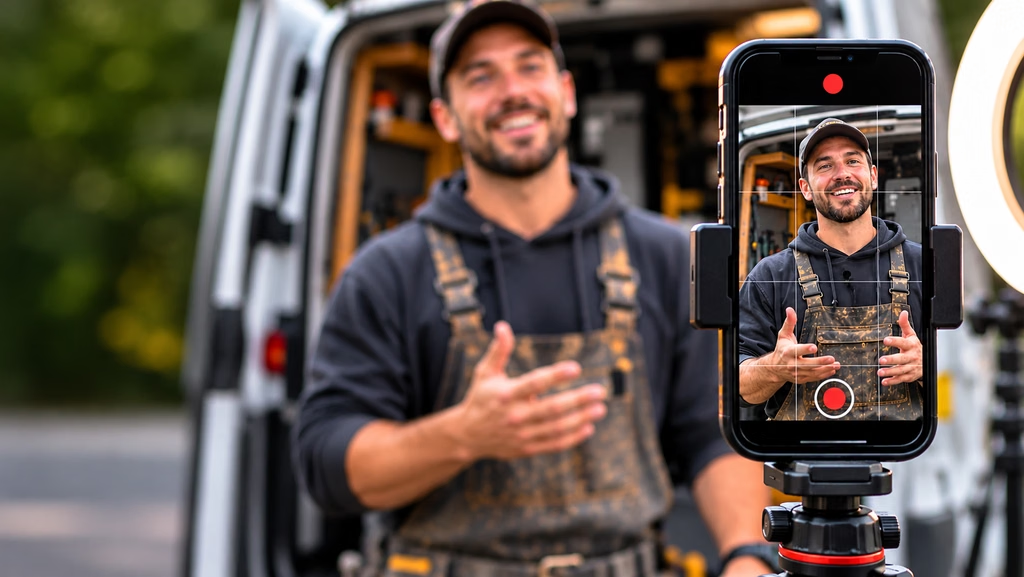
It is usually a good choice for image quality. For talking clips, place the phone on a stand and record a short test to check your framing.
Turn on the grid
Grid lines help you keep door frames, worktops and other straight edges level. Also check your storage and battery before starting a longer recording.
Use Good Light
Good lighting makes your footage clearer and helps viewers see the details of your work. Before recording, check where the light is coming from and how the subject looks on screen.
- Use daylight where possible. Windows and open doorways can provide useful light for indoor jobs.
- Face the light when talking. Avoid standing with a bright window directly behind you.
- Watch for harsh shadows outdoors. Move into open shade if direct sunlight makes the subject difficult to see.
- Open curtains and turn on suitable room lights. Check that the result looks natural on your screen.
- Add a small light when needed. Dark cupboards and lofts may need extra illumination to show the work clearly.
Avoid pointing the camera towards a bright window while filming a darker room. Change your angle so viewers can see the job rather than a silhouette.
Keep Your Footage Steady
A steady shot helps viewers focus on the work. You do not need complicated equipment to reduce distracting movement.
- Hold the phone with both hands and tuck your elbows into your body.
- Lean against a stable surface for support.
- Move slowly when panning across a room.
- Use a secure stand or clamp for static shots.
- Keep movements short and deliberate.
If your phone offers stabilisation settings, test them before filming. A simple stationary shot is often more useful than an ambitious camera move that comes out shaky.
Get Clear Sound
If you are explaining a job, viewers need to hear you without struggling. Record close enough to the phone, choose a quiet spot and avoid wind where possible.
Pause radios and noisy tools when it is practical to do so. Record a short test and listen back before filming the full explanation.
For work-only clips, you can remove distracting audio and add a voiceover later. Captions also help people follow the video when they watch without sound.
Frame Your Shots Well
Show the detail that matters instead of filming everything from across the room. A wide shot explains the setting, while a close-up shows the problem or finish.
Keep the background tidy where possible and check for private information before recording. Ask customers for permission and keep house numbers, paperwork, family photos and other identifying details out of view.
Leave space for on-screen text. Keep important details away from the edges, where app buttons or captions may cover them.
The Shots to Capture on a Job
You do not need to record the whole project. A few short clips can give you enough material to explain the work.
- The before: A wide shot showing the original condition.
- The problem: A close-up of the damage or issue.
- The process: A safe, suitable moment showing the work underway.
- The detail: Fitting, finishing or another useful part of the job.
- The after: The completed work from the same angle as the before.
- The overview: A steady shot showing the finished result.
Matching your before-and-after angles makes the change easier to understand. Capture a few seconds before and after each action so you have room to trim the clip.
Film when it fits safely around the work. A fixed phone stand or a colleague recording can help when you need both hands for the job.
Edit Simply
Keep the edit focused on one job, question or transformation. You only need basic tools to trim clips, arrange them, add text and adjust sound.
- Open with a useful shot. Show the result, the problem or a detail that gives people a reason to watch.
- Remove dead time. Cut long pauses, setup and unnecessary movement.
- Keep only what supports the story. Every clip should explain something or show progress.
- Add readable captions. Check automatic captions for mistakes before posting.
- Explain the footage with short text. For example: “Before: leaking shower tray in Poole.”
- Finish with a relevant next step. Tell viewers how to ask about the service or request a quote.
There is no perfect length for every Reel. A straightforward transformation might work in 15 seconds, while an explanation may need longer. Keep it as short as you can without losing the useful information.
Support the video with a clear caption. Write better social media captions by explaining the job, adding relevant context and giving viewers a reason to respond.
Useful Extras for Regular Filming
Start with your phone and improve your technique before adding equipment. If you regularly struggle with stability, sound or lighting, consider:
- A small tripod or secure phone clamp.
- A microphone compatible with your phone.
- A portable light for darker spaces.
- A lens-cleaning cloth kept with your tools.
Buy equipment to solve a problem you actually have. Better lighting and a steady phone usually make more difference than adding accessories you rarely use.
No Time to Edit? Send Us the Clips
Capturing a few clips can fit around a job. Choosing the footage, editing it, writing captions and posting consistently takes more time.
At JNB Marketing, clients send us their clips and photos, and we turn them into Reels with captions as part of our marketing support packages.
Get in touch if you want to capture the work and leave the editing and posting to us.
Filming Reels FAQ
What phone do I need to film Reels?
Start with the phone you already have. Check its footage in good light before considering an upgrade. Clean lenses, steady framing and clear sound can improve the result substantially.
How long should a Reel be?
Long enough to show the job or answer the question clearly. Start with a short edit, remove repetition and keep extra footage only when it adds something useful.
Should I use music in my Reels?
Music can suit a transformation or work montage, while spoken explanations may work better without it. Choose audio cleared for your intended business use and keep it quiet enough for speech to remain clear.
Do I need permission to film in a customer’s home?
Ask before recording and explain where you intend to publish the footage. Agree on what you can show and remove private or identifying information from the final edit.