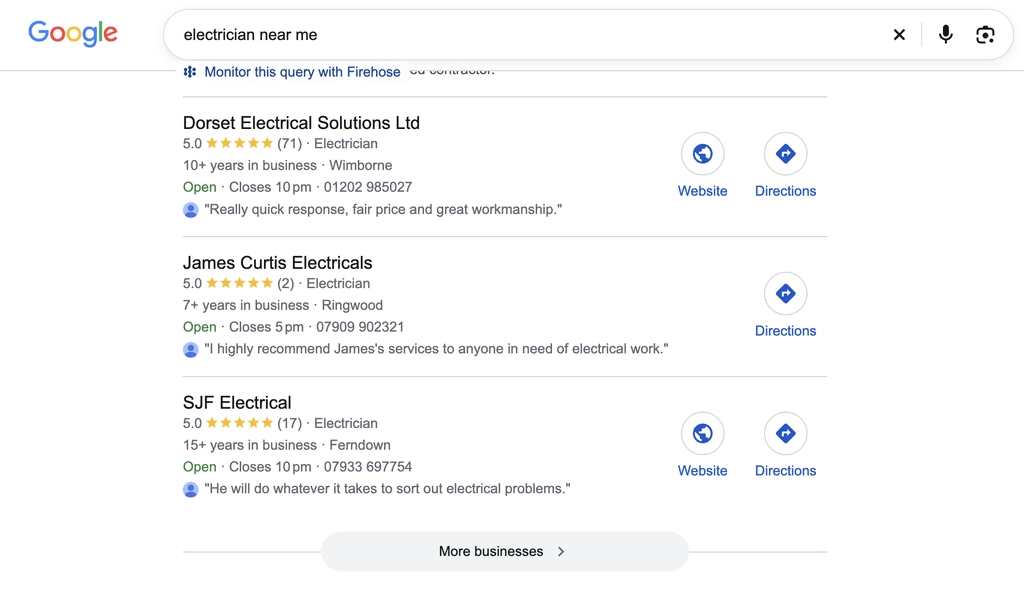
Someone in Poole searches “electrician near me”. Google shows them a map with three businesses underneath it. They call one of those three. Most of them never scroll any further.
That little box is the Google Map Pack, and for local trades it is the most valuable spot on the internet. If you sit in it, your phone rings. If you do not, a competitor takes the call instead.
The good news? You do not need a big budget or a tech degree to get there. You need the right steps, done properly, in the right order. Here is exactly how we do it for trades and service businesses across Dorset.
What Is the Google Map Pack?
The Map Pack is the block of three local businesses Google shows with a map, usually above the normal website results. It appears for almost any search with local intent: “roofer Bournemouth”, “emergency plumber”, “locksmith near me”.
Google picks those three businesses using three main factors, and it tells you so in its own guidance:
- Relevance: how well your business matches what the person searched for.
- Distance: how close you are to the searcher or the location they typed.
- Prominence: how well known and trusted your business looks, based on reviews, links, mentions and more.
You cannot move your business closer to every customer. You can control relevance and prominence, and that is where every step below focuses.
Step 1: Claim and Verify Your Google Business Profile
Everything starts here. Without a verified Google Business Profile, you cannot appear in the Map Pack at all.

Search for your business name on Google. If a profile already exists, claim it. If not, create one at business.google.com and complete verification. Google now often asks for a short video showing your van, your signage, your tools or your workplace, so have those ready.
If someone else set up your profile years ago and you have lost access, sort that out first. Our guide on getting access to your Google My Business listing walks you through it.
Step 2: Choose the Right Primary Category
Your primary category tells Google what you are. It carries more weight than almost anything else on your profile.

Pick the most specific category that matches your main work. “Plumber” beats “Contractor”. “Roofing Contractor” beats “Construction Company”. Then add secondary categories for other services you genuinely offer, such as “Bathroom Remodeler” or “Boiler Supplier”.
Check what the top three businesses in your area use. You can see their primary category right under their name. If they all share one category and you use a different one, that tells you something.
Step 3: Complete Every Section of Your Profile
Google rewards complete profiles. Fill in everything:
- Business description, written in plain English with your main services and towns
- Opening hours, including any 24/7 emergency cover
- Service areas, listing the towns you actually cover
- Services, each with a short description
- Phone number, ideally a local 01202 or 01305 number
- Website link, pointing to your homepage or main service page
Every empty box is a missed chance to show Google you are relevant.
Step 4: Get Reviews Coming In Every Week
Reviews drive prominence more than anything else you control. Google looks at how many reviews you have, how recent they are and what customers say in them.
The business with 80 recent reviews beats the one with 12 from 2021. Every time.

Build review requests into the end of every job. Send a text the same day with a direct link to your review page. A Google review QR code on your invoices and van helps too. Then reply to every review, good or bad, so Google and customers both see an active business.
Step 5: Add Real Photos of Your Work
Upload photos of real jobs, your van, your team and your finished work. Skip the stock images. Customers spot them instantly and they do nothing to build trust.
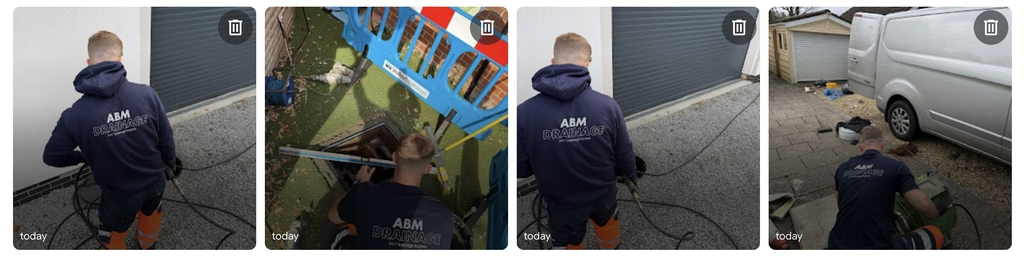
Aim for a few new photos every week. Before and after shots work brilliantly. Name the town in your photo descriptions or posts where it makes sense, such as “new consumer unit fitted in Christchurch”.
Step 6: Build Local Pages on Your Website
Your Google Business Profile and your website work as a team. Google checks your site to confirm what your profile claims.
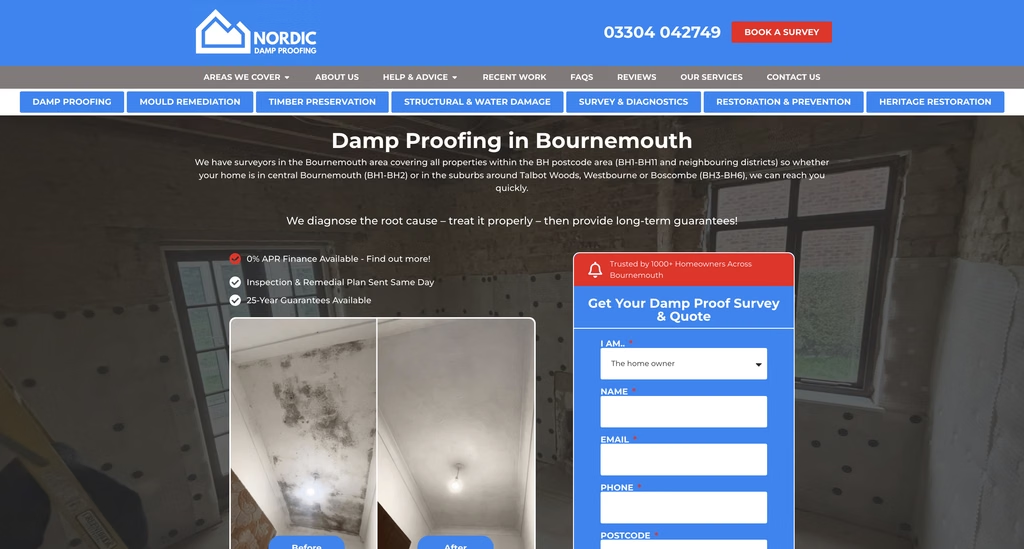
Create a proper page for each main service, and location pages for the main towns you cover. A page titled “Boiler Repairs in Bournemouth” with real detail, local job examples and reviews from Bournemouth customers gives Google a clear reason to rank you there.
Make sure your business name, address and phone number on the website match your profile exactly. We cover this in more detail in our guide to optimising your website for local search.
Step 7: Build Citations and Local Mentions
Citations are listings of your business on other websites: Yell, Thomson Local, Bing Places, Apple Maps, trade directories and local business groups. Each one confirms to Google that your business is real and established.
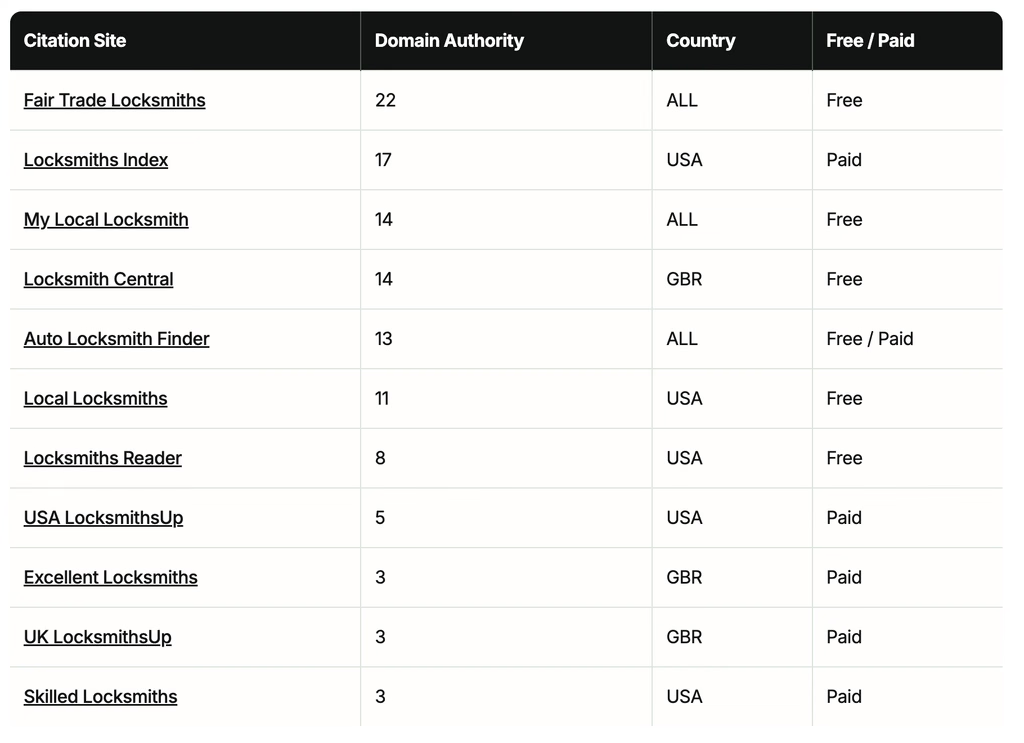
Consistency matters here. Use the same business name, address and phone number everywhere. Then look for local mentions too: sponsoring a local sports team, featuring in the local paper or joining the local chamber of commerce all add weight. Our article on local SEO citations explains how to get these right.
Step 8: Post to Your Profile and Keep It Active
A quiet profile looks like a quiet business. Post updates to your Google Business Profile at least once or twice a month: a recent job, a seasonal offer, a new team member.
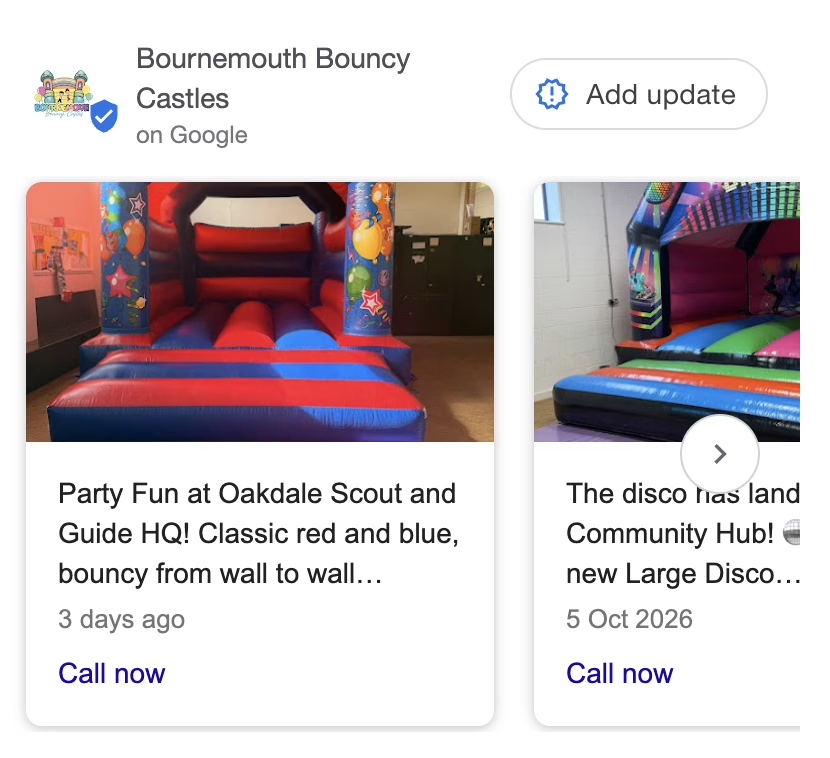
This takes five minutes and most of your competitors skip it entirely. Our guide on keeping your Google Business Profile active gives you a simple monthly routine.
How Long Does It Take?
Honestly, it depends on your area and your competition. A plumber in a small village might reach the Map Pack in a few weeks. A roofer competing across Bournemouth could need several months of steady work.
What we can tell you is this: businesses that follow these steps consistently climb. Businesses that set up a profile once and forget it slide. The Map Pack rewards the ones who keep showing up.
Want Us to Get You Into the Map Pack?
Every step in this guide works. Each one also takes time you probably spend quoting, working and chasing invoices.
At JNB Marketing, we get local trades into the Map Pack every month. We handle your profile, your reviews strategy, your local pages and your citations through our marketing support packages and local SEO service. You stay on the tools, and we keep the phone ringing.
Get in touch for an honest look at where you currently rank. If you already sit in the top three, we will tell you.
Google Map Pack FAQ
Can I pay to appear in the Google Map Pack?
Not directly. The three organic Map Pack spots come from Google’s ranking factors, not payment. You can run Google Ads or Local Services Ads that show near the map, but those appear as sponsored results, separate from the main three.
Why does my business show in the Map Pack for some people and not others?
Distance. Google ranks businesses differently depending on where the searcher stands. You might rank first in your home town and not at all five miles away. Location pages, local reviews and citations help you stretch that reach.
Do I need a physical address to rank in the Map Pack?
No. Service area businesses can hide their address and still rank. You still need a real address for verification, and Google still uses it as the centre point for distance.
Does my website affect my Map Pack ranking?
Yes. Google checks your website to confirm your services, location and trustworthiness. A strong website with proper service and location pages supports your profile. A weak or missing one holds it back.
Related articles: How to Rank Your Business on Google Maps · What Should I Include on My Google Business Profile? · How to Get More Reviews for Your Business